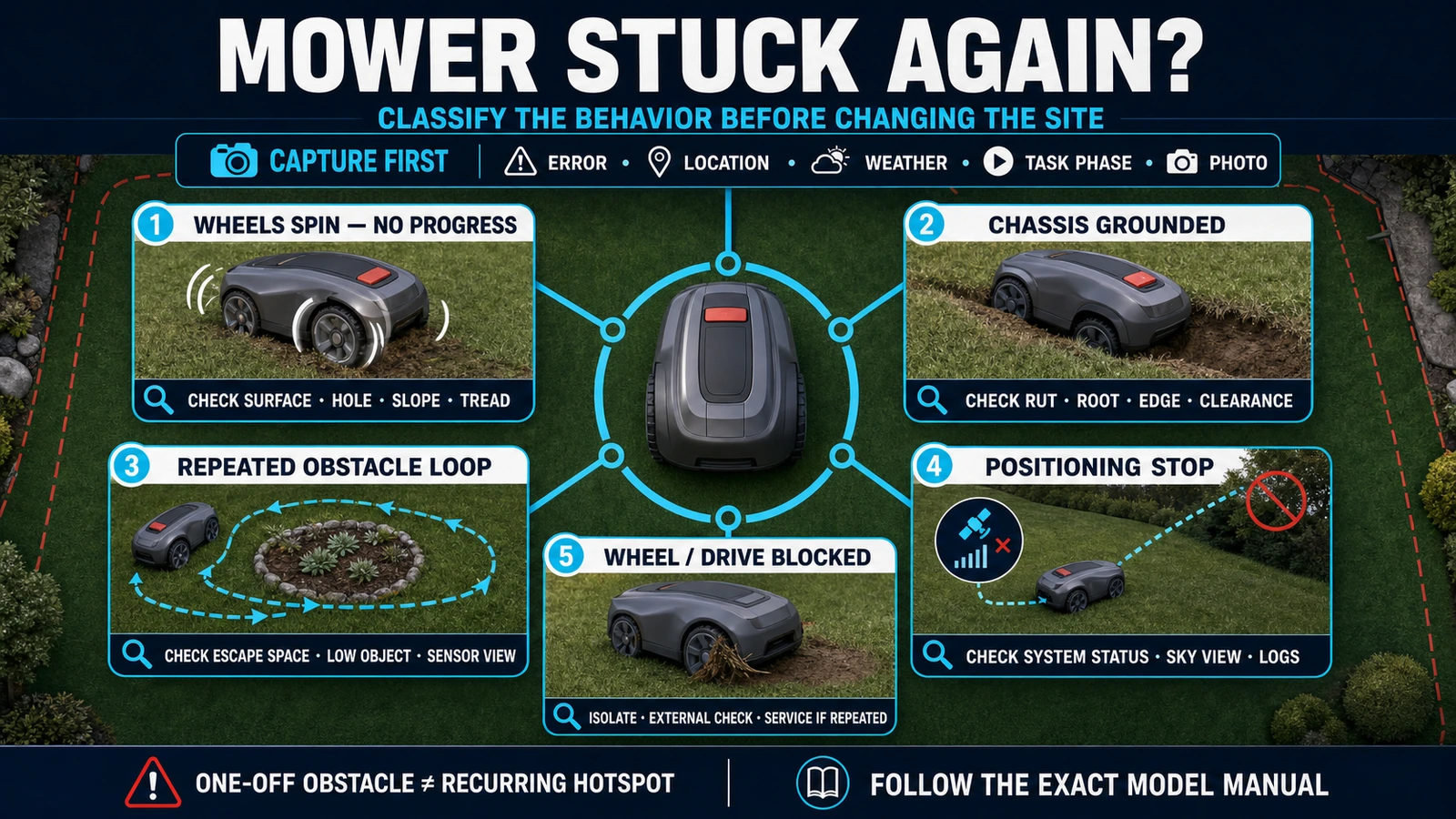
- A robot mower that repeatedly needs rescue usually has a reproducible site, traction, routing, positioning or machine problem—not just random bad luck.
- Classify what the mower is actually doing before changing the map or hardware: wheelspin, grounding, repeated obstacle behavior, positioning stop and wheel blockage require different responses.
- Commercial acceptance should measure rescue frequency and verify corrected hotspots through representative autonomous missions, not merely restart the mower once.
In this article 16 sections
If your robot lawn mower keeps getting stuck, first classify what “stuck” means. Wheels spinning without progress, a chassis resting on the ground, repeated turns around the same obstacle, a positioning-related stop and a blocked wheel are different faults. A one-off rescue may be caused by temporary debris. Repeated intervention at the same place or under the same conditions points to a site, routing, traction, positioning or machine problem that should be corrected—not normalized.
Do not begin by changing every map setting or adding unofficial wheel hardware. Preserve the error, location and conditions; make the smallest evidence-based correction; then run an autonomous test through the affected area. If the mower repeatedly reports a wheel, sensor, drive or positioning fault after safe external checks, escalate with logs and site records.
Robot Mower Stuck Symptoms at a Glance
| What you observe | Likely fault family | First safe response |
|---|---|---|
| Drive wheels spin but the mower does not advance | Wet or loose surface, hole, excessive local slope, blocked tread or insufficient traction | Stop the machine, record the location and surface, then remove only accessible debris as the model manual permits |
| Chassis or front wheel rests on the ground | Rut, hole, tree root, edge drop, soft ground or insufficient clearance | Photograph the contact points and correct the local ground or exclude the hazard |
| Mower repeatedly turns, collides or pauses in one place | Obstacle cluster, narrow escape geometry, low clearance, dirty sensor or map boundary | Preserve the route and identify the recurring physical or sensing trigger |
| Mower stops under trees, beside walls or in a narrow corridor | RTK/GNSS obstruction, reference-station visibility, vision limitation or another navigation-state problem | Read the exact App status and capture logs before moving equipment or remapping |
| One wheel will not rotate | Grass, string, branch or foreign object around the wheel; possible drive fault | Isolate the mower exactly as instructed and inspect only the accessible external area |
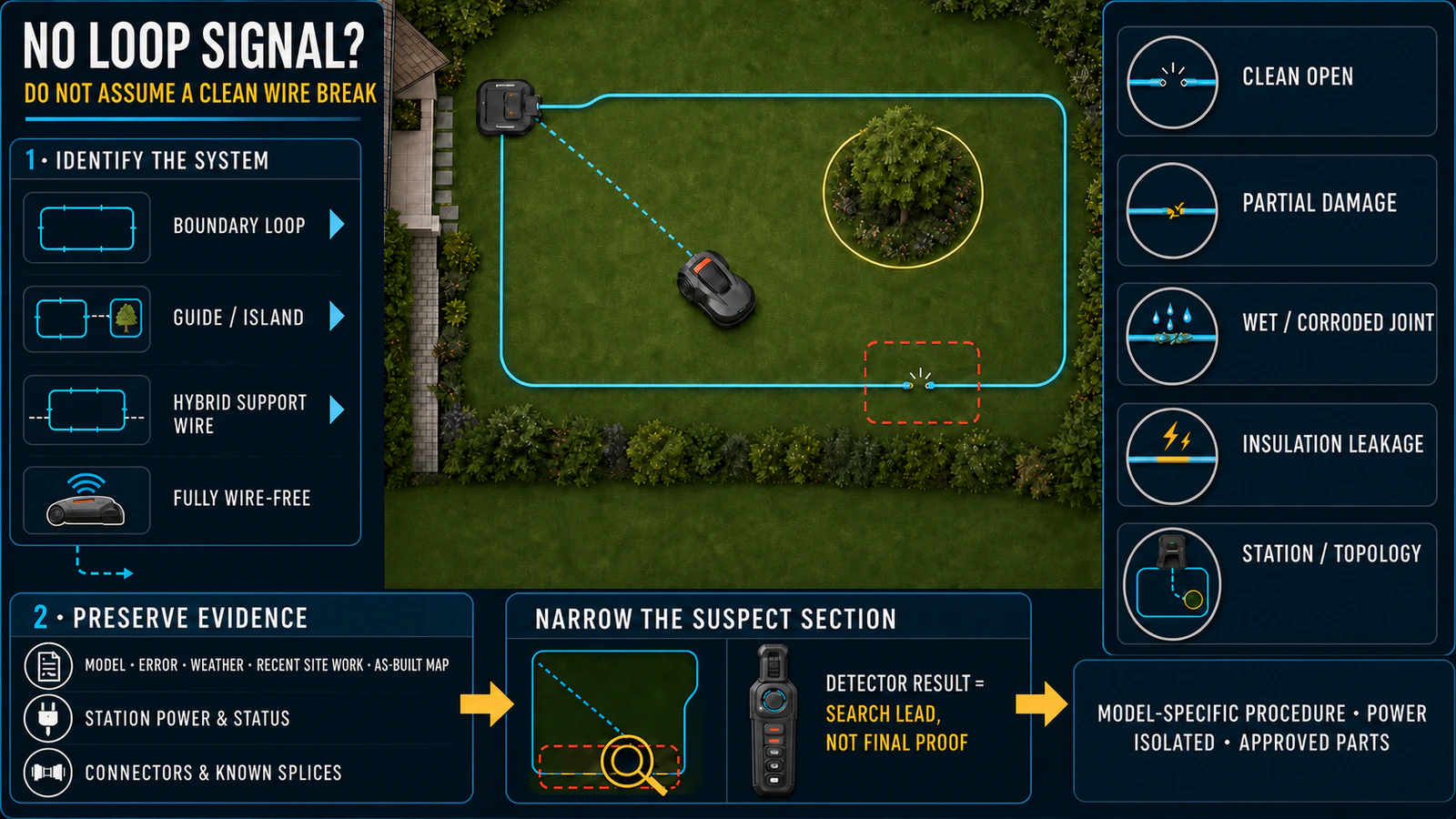
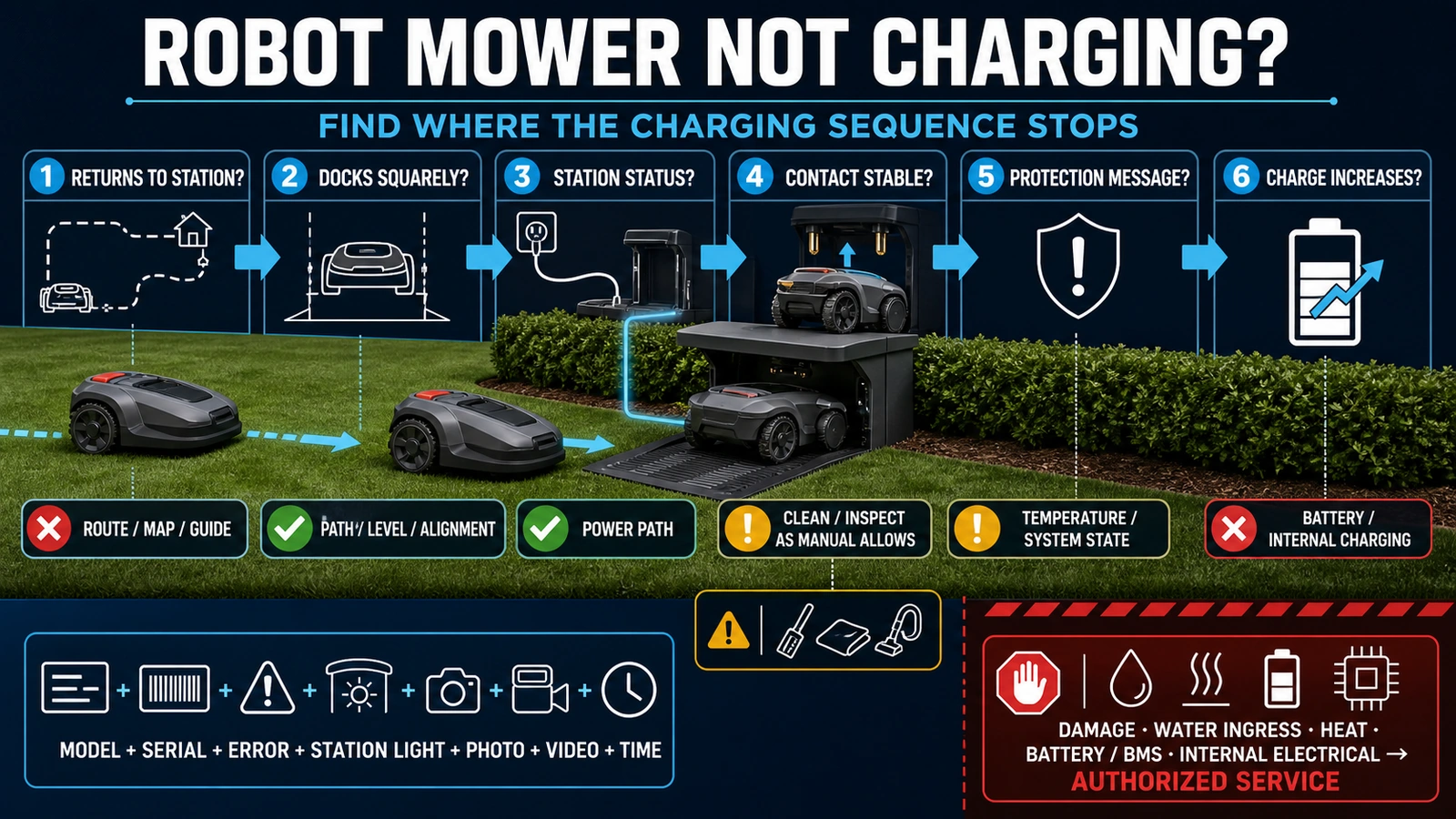
| Mower stops with a boundary or charging message | Loop, map, return-route, station or power problem rather than ordinary physical entrapment | Use the dedicated boundary-wire or charging diagnostic path |
| Fault disappears after restart but returns | Persistent site hotspot, intermittent sensor/drive issue, positioning condition or software problem | Treat recurrence as unresolved and collect comparable evidence |
First Confirm That the Mower Is Actually Trapped
“The mower stopped” is not a diagnosis. Before moving it, record:
- the exact message, code and App status;
- mower, station and reference-station model where applicable;
- firmware version and navigation architecture;
- location on the map and physical lawn;
- whether the wheels were spinning, stationary or blocked;
- whether the chassis, bumper or body touched anything;
- grass and soil condition, weather and recent irrigation;
- the task phase: mowing, boundary pass, transport, return or docking;
- whether the same event has happened at that location before.
Husqvarna uses separate messages such as `Trapped`, `No drive` and `Wheel motor blocked` on specific Automower products. Its support material describes `No drive` as a condition in which the wheels may spin without the machine getting anywhere, while `Trapped` can refer to a small area where obstacles prevent escape. Worx also treats `Mower trapped` and a wheel-motor fault as model-specific states.
These examples support a category-wide diagnostic rule: preserve the observed state, but interpret its wording only through the exact model documentation. Do not assume that similarly named messages have identical triggers across brands.
Work Safely Before Touching Wheels or the Cutting Area
A robot mower can restart, move or expose sharp blades. Follow the product manual before lifting, turning over, cleaning or clearing anything.
- Stop the mower and use the model-defined isolation method before inspection.
- Keep hands and tools away from the cutting system until the machine is fully isolated.
- Wear the protective equipment specified by the manufacturer.
- Do not defeat lift, tilt, collision or obstacle sensors.
- Do not reach beneath a mower that is merely paused in the App.
- Do not open the drive, battery, sensor or control electronics.
- Keep the unit out of unattended service until the original fault is corrected and verified.
Worx’s instructions differ even within its own product range: one model tells the user to turn the mower off before checking the wheels, while another also specifies battery removal. That is why a generic article should not invent one shutdown procedure for every mower.
If the Wheels Spin but the Mower Does Not Move
Wheelspin is a traction symptom, not automatic proof of a weak motor.
Husqvarna’s current `No drive` support lists a hole or obstacle, an excessively steep area, wet slippery grass and guide-wire routing on a slope among possible causes for applicable products. Inspect the scene before moving the mower:
- Is one wheel lower than the other in a rut or depression?
- Is the chassis or cutting deck carrying weight that should be on the tyres?
- Are wet clippings, mud or loose soil filling the tread?
- Did the mower have to turn, brake or cross the slope at that point?
- Is a boundary, transport path or systematic mowing line forcing the same approach angle?
Allow a wet area to dry when appropriate, clean only as the manual permits and correct persistent drainage or surface damage. A route change may help when the geometry—not the whole slope—is creating the failure. World Clean Biz’s robot mower slope guide owns slope measurement and model selection; this page is concerned with a recurring intervention point.
Do not automatically add metal spikes, extra weight or third-party wheels. Such changes can affect safety clearances, turf damage, motor load, handling and warranty. Confirm approved traction accessories and the exact model application through the manufacturer or authorized channel.
If the Chassis Is Grounded or a Wheel Falls into a Hole
A mower can have adequate drive torque and still be mechanically unable to escape. Common geometries include:
- a wheel dropping into a narrow hole while the chassis bridges the edge;
- a tree root lifting one side and unloading a drive wheel;
- soft soil collapsing under repeated passes;
- a sharp transition between paving and turf;
- an unprotected drop beside a bed, drain or retaining edge;
- a low obstacle catching the body or bumper;
- long grass inside a depression attracting a vision mower into the hole.
Worx’s model-specific support notes that when grass is present in a hole, a Vision mower may try to cut it and become stuck. The durable response is not simply to place the mower back on the lawn. Record the contact geometry, then choose an appropriate site correction: stabilize and level the surface, repair drainage, change the boundary or map, create an exclusion zone, or select equipment with suitable clearance and mobility.
Ground repair must not hide a drainage problem or create a trip, utility or edge hazard. On managed sites, assign the correction to the party responsible for landscaping or civil works rather than letting the operator repeatedly improvise with loose fill.
If the Mower Repeats the Same Obstacle Loop
A mower may not be immobilized; it can spend several minutes reversing, turning and meeting the same object. That still creates an operational intervention if it eventually stops or never completes the area.
Check for:
- several obstacles that form a pocket with no practical escape path;
- furniture, toys, hoses, fallen fruit or temporary site equipment;
- branches, netting or fabric above the grass but within the machine envelope;
- a raised bed or wall corner narrower than the mower’s turning behavior allows;
- a trampoline, bench or vehicle with inconsistent underbody clearance;
- an obstacle or no-go zone that blocks the only return path;
- a body shell, bumper or collision mechanism that cannot move freely;
- dirty, wet or obstructed camera glass on a vision-equipped mower.
Husqvarna’s current AI-vision support says dirty, wet or blocked camera glass can be associated with bumping, unexpected pauses or camera messages on the covered products. It also says a persistent camera error after cleaning and drying may involve the vision module or firmware. This distinction is useful beyond one brand: an external sensing condition may be operator-serviceable, while a recurring module or software problem belongs in technical support.
For permanent obstacles, map or physically exclude the hazard using the approved system. For movable obstacles, define site housekeeping responsibilities. Obstacle avoidance reduces collision risk; it does not make every low, flexible, reflective or moving object a valid unattended operating condition.
If a Wire-Free Mower Stops Because It Loses Position
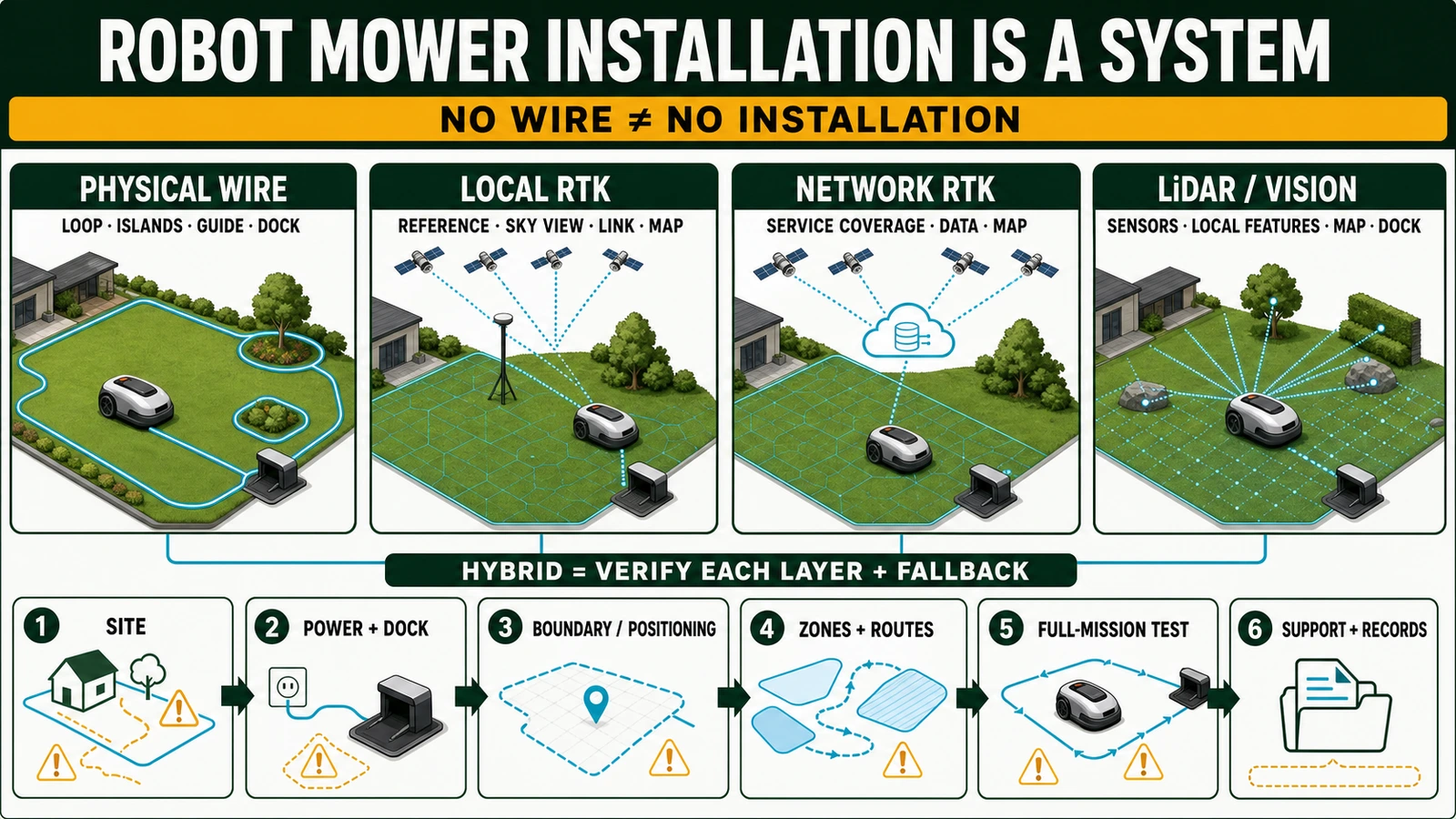
RTK/GNSS mowers, vision mowers and LiDAR mowers do not fail in the same way. Identify the installed navigation architecture before changing the map.
Mammotion’s support for applicable LUBA products distinguishes fixed positioning from degraded states in which automatic mowing is not available. It identifies trees, leaves, walls, fences and other obstructions as possible contributors when the mower’s satellite reception is weak. Its troubleshooting workflow asks for environmental images and uploaded logs—evidence that is far more useful than the note “mower was stuck.”
For a positioning-related stop:
- capture the mower and reference-station status, if the system uses one;
- photograph the sky view and nearby walls, fences, trees and structures;
- record whether the failure occurs at a repeatable location and time;
- preserve the map and logs before moving the antenna or recreating the site;
- follow the manufacturer’s positioning and installation procedure.
Moving a reference station, deleting a map or repeatedly changing correction services can expand the fault and destroy useful evidence. World Clean Biz’s wire-free robot mower guide explains the differences among RTK, LiDAR, vision and sensor-fusion systems.
If a Wheel or Drive System Is Blocked
Grass, string and foreign objects around a drive wheel can prevent rotation. Both Husqvarna and Worx publish model-specific wheel-blocked guidance. After the exact shutdown and isolation procedure, inspect only areas the operator manual makes accessible.
Escalate when:
- no external obstruction is visible but the wheel remains locked;
- the same wheel repeatedly reports an overload or blockage;
- a wheel has abnormal play, noise, heat or resistance;
- a seal, cable, motor housing or structural part is damaged;
- water ingress, impact or burning is suspected;
- the error returns immediately after an approved external cleaning.
Do not describe every drive fault as “debris.” Repeated current, encoder, gearbox, bearing, wiring or controller problems require authorized diagnostics and exact replacement parts.
Could Firmware Be the Reason?
It can be part of the fault, but it should not be the default explanation.
Mammotion’s release records for specific LUBA generations have included changes to positioning, obstacle behavior, slope driving, operational stability and occasional stopping. Those records show that field behavior can change with software. They do not prove that an individual mower is stuck because its firmware is old.
Before updating or resetting:
- preserve the current version, error history, logs and map;
- read the release notes for the exact model and region;
- confirm the power, connectivity and update procedure;
- avoid deleting a working map unless official troubleshooting requires it;
- repeat the affected route after the change and record the result.
A firmware update is a controlled service action, not a substitute for correcting a hole, wet slope, blocked wheel or unsuitable obstacle layout.
Fix the Recurring Site Cause, Not Only the Latest Stop
Use the smallest correction that addresses the evidence:
| Confirmed cause | Durable correction | Owner |
|---|---|---|
| Temporary object | Remove it and enforce pre-run housekeeping | Site operator |
| Rut, hole or soft ground | Stabilize surface, correct drainage or exclude the area | Landscape/site team |
| Wet or slippery hotspot | Change schedule or irrigation interaction; correct drainage if persistent | Operator and site team |
| Obstacle pocket or low clearance | Reposition, exclude or redesign the route | Installer/site owner |
| Boundary or map too close to hazard | Apply the model-defined clearance and recommission the affected zone | Qualified installer |
| Positioning obstruction | Correct the approved positioning setup or redesign coverage | Installer/technical support |
| Wheel or sensor blockage | Perform approved external cleaning and inspection | Trained operator |
| Recurring drive, sensor or software fault | Submit logs and service record to the authorized channel | Dealer/manufacturer service |
The broader robot lawn mower installation guide covers initial site design. A recurring hotspot should trigger a controlled partial recommissioning of the affected area, not an undocumented series of App changes.
Verify the Fix Before Returning the Mower to Unattended Work
A successful restart proves very little. Verify the scenario that failed.
- Photograph and record the correction.
- Restore guards, covers, settings and normal operating configuration.
- Run the mower autonomously toward the hotspot from representative directions.
- Observe traction, clearance, sensing and boundary behavior through the whole area.
- Confirm that the correction has not created a new escape, collision or turf-damage risk.
- Test the return route and autonomous docking when the affected area connects to it.
- Complete a representative mission under normal operating conditions.
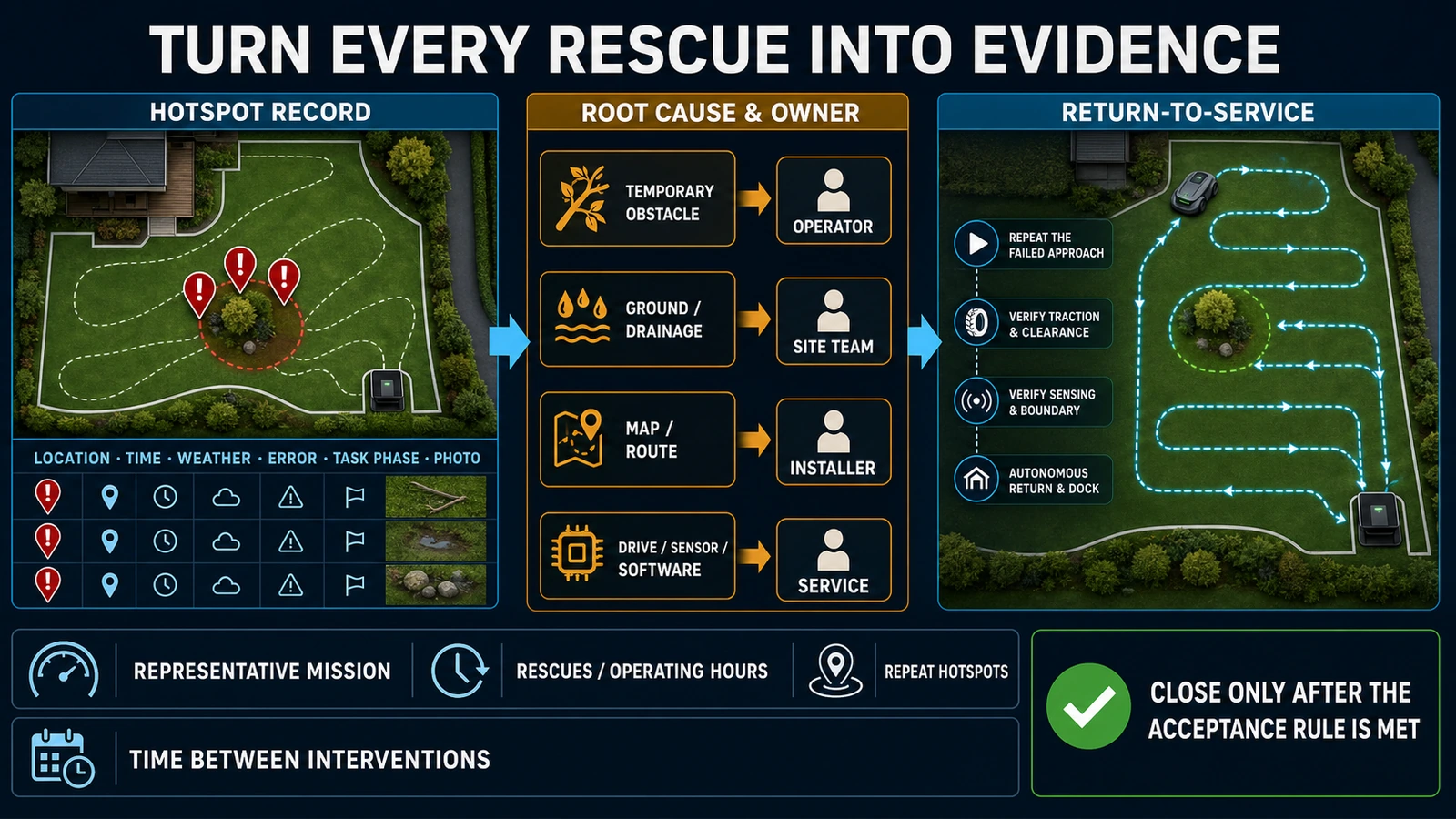
- Monitor recurrence over an agreed period and close the ticket only when the acceptance rule is met.
If the event is actually a loop-system or return-to-base fault, use the dedicated guides for a robot mower boundary wire break or a robot lawn mower that is not charging.
B2B Lessons for Installers, Dealers and Fleet Operators
Measure interventions, not only completed area
An autonomous mower that completes the lawn only after two rescues is not fully autonomous. Track rescues per 100 operating hours or per 100 missions, mean time between interventions, repeat hotspot rate and the share resolved remotely.
Build a rescue-hotspot map
Every intervention should record the location, time, weather, task phase, error, photos, immediate action and eventual root cause. Clusters reveal whether the issue belongs to drainage, route geometry, housekeeping, positioning coverage or a particular machine.
Define responsibilities before deployment
The service agreement should assign obstacle removal, irrigation coordination, landscape repair, map changes, firmware control, remote log review, authorized repair and post-change acceptance. Otherwise, operators may repeatedly move the machine while the installer, dealer and site team each assume the cause belongs elsewhere.
Include recoverability in procurement
Area rating and maximum slope are not enough. Buyers should compare drive layout, ground clearance, tyre design, turning envelope, sensor coverage, supported exclusions, positioning architecture, event logs, remote diagnostics, approved terrain accessories and local parts/service capacity.
Treat recurring rescue as an acceptance defect
Contracts should define the test lawn, operating conditions, permitted temporary obstacles, representative route and maximum intervention rate. “Mower started” and “mower eventually finished” are weak acceptance criteria for a commercial deployment.
Procurement and Site Audit Checklist
- [ ] Exact mower, station and positioning hardware recorded
- [ ] Navigation architecture and map/boundary ownership documented
- [ ] Slopes, drops, holes, roots, soft ground and drainage hotspots surveyed
- [ ] Narrow passages, obstacle pockets and low-clearance objects tested
- [ ] Tyres, approved terrain accessories and ground clearance checked
- [ ] Cameras and sensors have maintainable sight lines
- [ ] Irrigation and mowing schedules do not create predictable wet-surface failures
- [ ] Error history, logs and remote-support access are available
- [ ] Rescue-hotspot and intervention-rate reporting is defined
- [ ] Operator, landscaper, installer, dealer and manufacturer responsibilities are assigned
- [ ] Post-correction autonomous acceptance is required
FAQ
Why does my robot lawn mower keep getting stuck in the same place?
A repeat location usually points to a stable cause: a rut, root, soft surface, obstacle pocket, low clearance, route geometry, boundary/map placement or positioning obstruction. Record the exact approach and correct the site or approved configuration rather than repeatedly relocating the mower.
Why are the wheels spinning but the mower is not moving?
The mower may have lost traction on wet or loose ground, dropped a wheel into a hole, grounded its chassis, reached a local slope/turning limit or accumulated material around the tyres. Stop it safely and inspect the scene before assuming a motor failure.
Can wet grass make a robot mower get stuck?
Yes. Wet grass, mud and clippings can reduce traction, fill tyre tread and interact with slopes or turns. If the problem repeats, review irrigation, drainage, schedule and route rather than relying only on a dry-weather restart.
Should I add wheel spikes or weights?
Only if the manufacturer approves the exact accessory for the exact model and use. Unofficial changes can alter turf pressure, clearance, motor load, stability, safety performance and warranty.
Why does a wire-free robot mower stop under trees?
Some RTK/GNSS systems can lose the positioning quality required for autonomous mowing when satellite reception or correction data are obstructed. Other wire-free systems use different technologies. Check the exact status, architecture, site view and official troubleshooting before moving equipment or remapping.
When should I call the dealer?
Escalate when a wheel remains blocked without visible debris, a drive or sensor fault repeats, there is physical or water damage, an approved correction fails, or the manufacturer procedure requires access beyond ordinary external inspection. Send the model, firmware, logs, error history, map location, photos and attempted corrections.
The Bottom Line
When a robot lawn mower keeps getting stuck, the useful question is not simply how to restart it. Determine what stopped movement, whether the event repeats, which party owns the cause and what test will prove the correction. A durable deployment converts every rescue into evidence—and reduces the next one.
Sources
- Husqvarna: No drive — Automower error message
- Husqvarna: Wheel motor blocked
- Husqvarna: Automower FAQs
- Husqvarna: AI-vision camera troubleshooting
- Worx: Mower trapped — WR155
- Worx: Wheels motor fault — WR220
- Worx: Mower goes into a hole — WR208
- Mammotion: Positioning information and troubleshooting
- Mammotion: LUBA 3 release notes
*This article provides a cross-brand diagnostic and procurement framework. Follow the manual and authorized service requirements for the exact mower, market and site.*