- First identify when the noise begins and whether it follows the brush, a wheel, airflow or a particular floor surface.
- Power the robot off before removing hair, hard debris and incorrectly seated user-serviceable parts; then test one subsystem at a time.
- Stop using the robot for grinding, burning odor, overheating, liquid intrusion or a persistent internal fan, gearbox or wheel-module noise.
In this article 11 sections
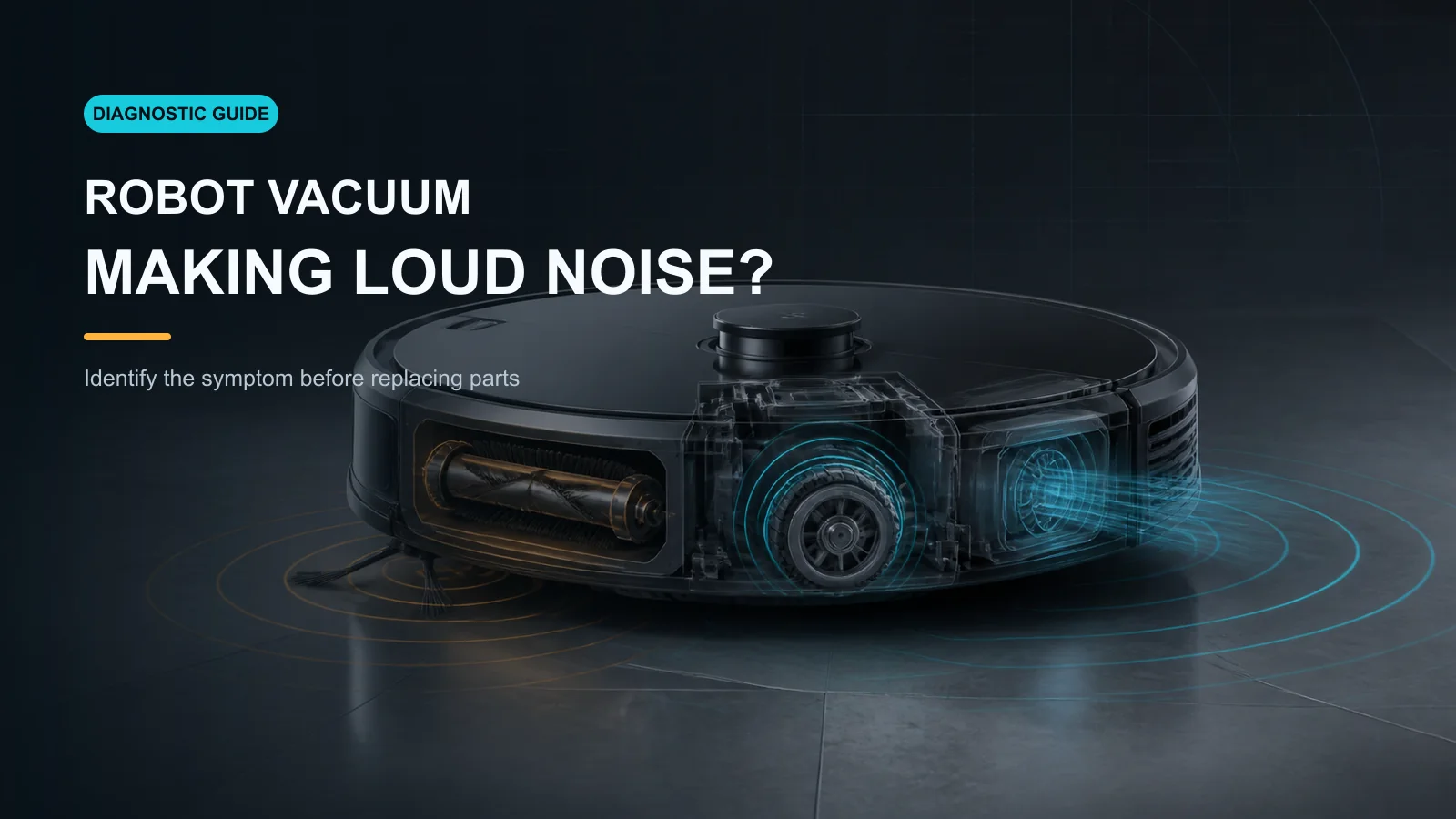
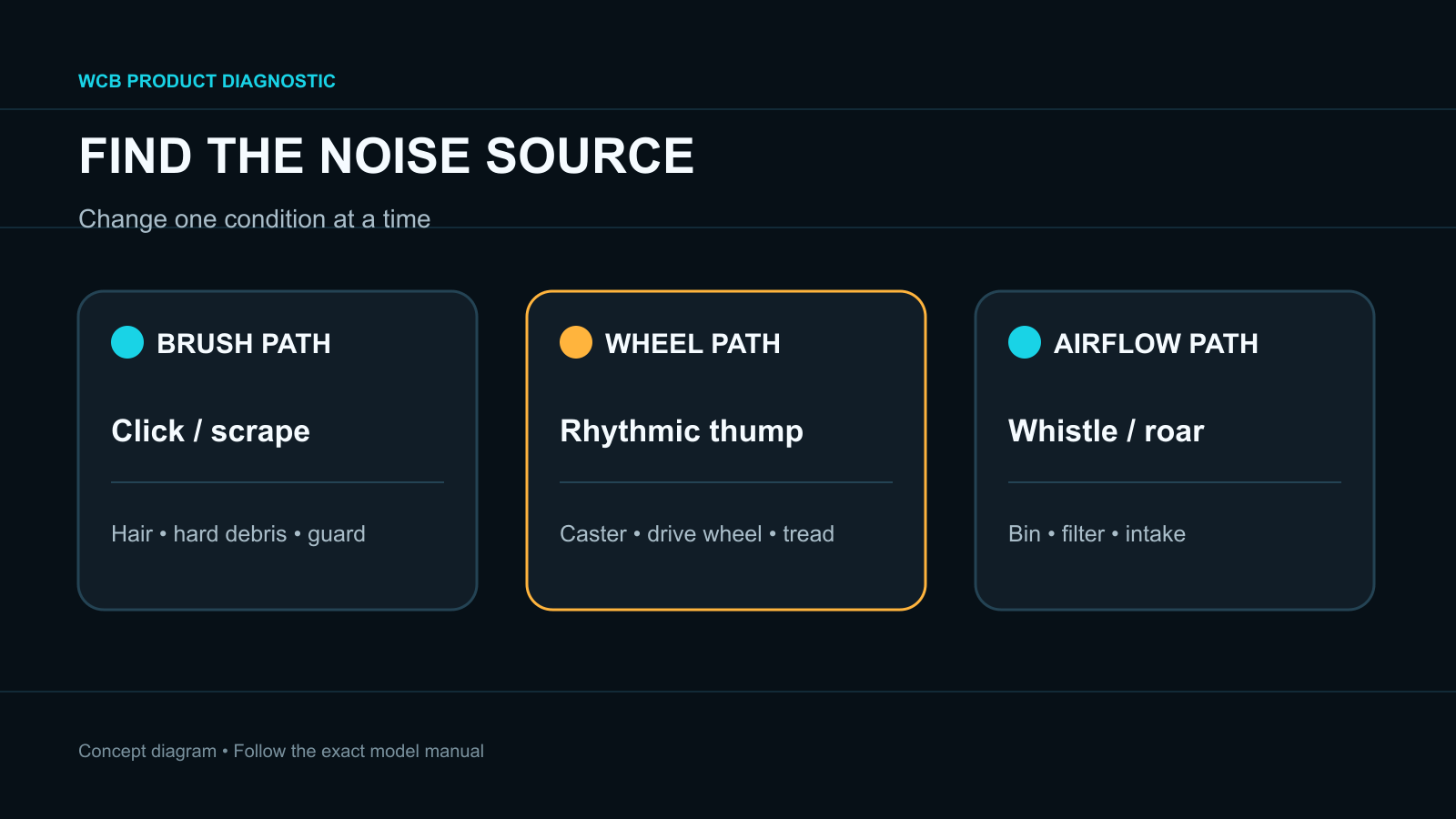
If your robot vacuum is suddenly making a loud noise, note exactly when the sound starts. A clicking or scraping sound often follows the main brush, side brush or a trapped hard object. A rhythmic thump can follow a wheel or brush once per revolution. A high-pitched roar can come from restricted airflow, a full bin, a loaded filter or the suction fan. Power the robot off before removing user-serviceable parts and test one area at a time.
Do not keep running a robot that grinds, overheats, smells burnt, has taken in liquid or contains a sharp object. Record the sound and the operating mode before cleaning anything; that evidence helps separate normal mode noise from a developing fault.
Loud-Noise Patterns at a Glance
| What you hear | Leading area to check | First safe action |
|---|---|---|
| Clicking or scraping | Main brush, side brush, guard or trapped debris | Power off and inspect the complete brush chamber |
| Thump once per wheel turn | Drive wheel, caster, tread or wrapped hair | Compare both wheels and clean accessible wheel areas |
| High-pitched roar | Full bin, loaded filter, blocked intake or fan | Empty the bin and service the airflow path |
| Noise only on one rug | Brush contact, pile depth or loose fringe | Move to hard floor and compare the same mode |
| Noise only at high suction | Normal mode difference or airflow restriction | Compare Standard/Quiet after maintenance |
| Rattle after maintenance | Loose bin, filter, brush cap or guard | Reinstall every user-removable part correctly |
| Grinding from inside | Gearbox, motor, fan or wheel module | Stop repeated tests and use service |
1. Record When the Noise Starts
Run only a short supervised test on a clear, dry hard floor. Note whether the sound begins immediately, only when suction increases, only when the robot turns, or only when it crosses carpet.
Also compare these states:
- active vacuuming versus traveling to another room;
- straight movement versus turning;
- brush installed versus a manufacturer-approved diagnostic check;
- Standard or Quiet suction versus a higher setting;
- empty bin and clean filter versus the previous state.
Some products intentionally change fan and brush behavior by mode. A louder sound at maximum suction is not automatically a defect, but a new harsh tone, vibration or grinding sound still needs inspection.
2. Check the Main Brush and Side Brush
Roborock's official noise procedure isolates the main brush, side brush, front wheel and drive wheels one at a time. Dreame manuals likewise identify hair or debris in the main brush, side brush or main wheels as common sources of abnormal noise.
With the robot powered off, inspect:
- the full main-brush surface;
- both ends, caps, bearings and axle points;
- the brush guard and its latches;
- the suction opening behind the brush;
- the side-brush hub and fastener;
- hard fragments trapped between the brush and housing.
Hair at the brush ends can be hidden even when the center looks clean. A stone, screw, glass fragment or hard seed can make a sharp repeated click and damage the chamber. Use the exact manual for removal; do not cut toward rubber fins or pry open a sealed bearing.
After cleaning, reinstall every cap and guard in the original orientation. A guard that is not fully latched or a missing end cap can create noise even when the brush itself is clean.
3. Inspect the Front Caster and Drive Wheels
A caster packed with hair may squeak, chatter or resist swiveling. A drive wheel can make a rhythmic sound when debris is lodged in the well, the tread is damaged or the suspension does not return normally.
Compare the left and right drive wheels only as the manual allows. They should move and spring back with broadly similar behavior, but hand resistance is not a universal motor test. Remove visible hair and debris without opening the sealed wheel module.
Roborock gives a model-specific instruction involving a very small amount of oil for a removable front wheel. Do not generalize that instruction to another brand, wheel, brush or bearing. Lubricants can attract dust or reach sensors, treads and electronics.
4. Service the Bin, Filter and Airway
A full bin or loaded filter can change the pitch of the suction system. A blocked intake makes the fan work against restricted airflow, while a poorly seated filter or bin can create whistling and vibration.
Empty the bin and clear only accessible air passages. Service the filter exactly as specified: some are washable, others are not, and any washable filter must be fully dry before reinstallation. Confirm that the bin, filter, screen, flap and cover sit correctly.
If the robot also leaves dirt behind, use the separate pickup and dirt-trail guide. Noise plus poor pickup is a stronger sign to examine the airflow path rather than replacing brushes at random.
5. Separate the Floor from the Robot
Run the same clean robot on a clear hard floor. If the noise disappears, inspect the original rug for high pile, loose fringe, hard objects or a surface that changes brush contact. If the noise persists in open space, the cause is more likely attached to the robot.
Do not hold the robot in the air or defeat wheel and cliff sensors. A safe floor test produces more reliable evidence.
6. Run One Subsystem-at-a-Time Test
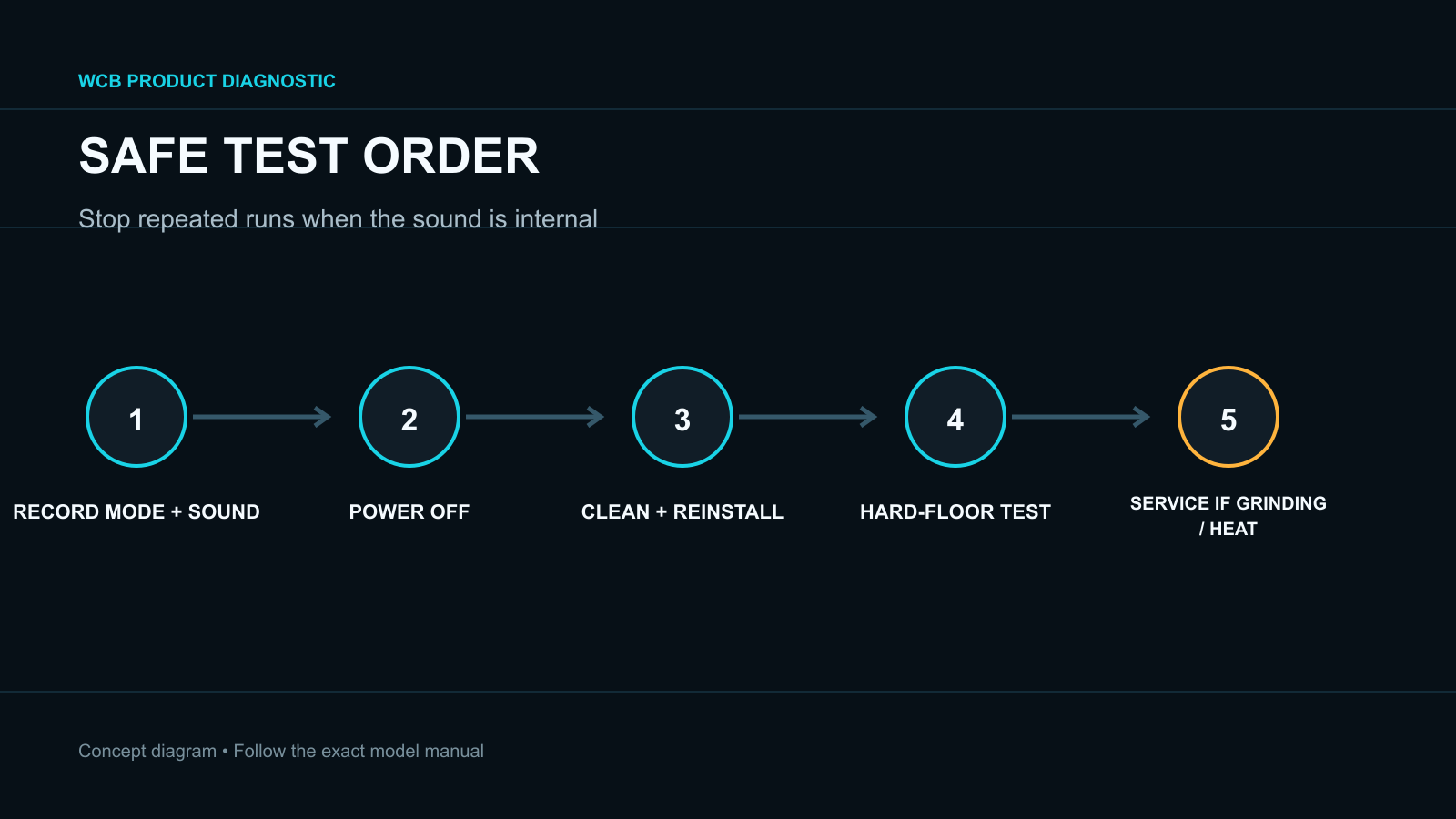
After cleaning and reinstallation, use a short normal cleaning cycle. Change only one condition between tests.
- Noise disappears after brush cleaning: monitor the next complete run and shorten the maintenance interval.
- Noise follows turning: inspect the caster, drive wheels and bumper area.
- Noise follows suction level: recheck the bin, filter and intake; compare with the manual's normal sound profile.
- Noise remains after all user checks: preserve the recording and stop repeated disassembly.
The purpose is to locate the source, not to run the robot until the failing part becomes obvious.
When to Stop and Use Service
Use authorized service when the sound is grinding, metallic or internal; a wheel or brush module becomes hot; the fan changes speed erratically; the same error returns after approved cleaning; the housing is damaged; or liquid reached the air path or electronics.
Provide the model, serial number, firmware, floor type, suction mode and a short video that captures startup and the noise. Mention which user-serviceable parts were removed and reinstalled.
FAQ
Why is my robot vacuum suddenly louder?
The most common user-checkable causes are hair, a trapped hard object, a full bin, a loaded filter, a blocked intake or an incorrectly seated brush guard or bin. A sudden internal grinding sound requires service.
Can a dirty filter make a robot vacuum noisy?
Yes. Restricted airflow can change fan pitch and reduce pickup. Follow the exact cleaning or replacement method because not every filter is washable.
Why does the robot make noise only on carpet?
Carpet increases brush load and changes contact with the floor. Check pile and fringe limits, hidden tangles and brush wear, then compare the same mode on hard floor.
Should I oil a squeaking robot-vacuum wheel?
Only when the exact manufacturer instructions identify the exact wheel and lubricant procedure. Do not apply a model-specific instruction to another part or product.
Is a louder sound at maximum suction normal?
Often the fan is louder at higher power, but a new whistle, vibration, scraping or grinding sound is not explained by the setting alone. Service the airflow path and compare modes.
Final Answer
When a robot vacuum makes a loud noise, record the sound and identify whether it follows the brush, a wheel, airflow, turning or one floor surface. Power off the robot, clean the complete brush chamber and accessible wheels, empty and correctly reinstall the bin and filter, then run one controlled hard-floor test.
Stop and use authorized service for persistent grinding, overheating, burnt odor, liquid intrusion or an internal fan, motor, gearbox or wheel-module sound.