- First identify whether the brush was pulled off by a rug or obstacle, installed incompletely, worn, or no longer retained by its clip, screw or hub.
- Use the exact model's attachment method: press-fit, clip-retained and screw-retained brushes are not repaired or installed the same way.
- A cracked hub, missing fastener, stripped screw, loose drive shaft or repeated detachment with a correct new brush requires the approved part or service.
In this article 11 sections
If your robot vacuum side brush keeps falling off, first inspect the place where it detached. A rug edge, cable or threshold may have pulled it free. If there was no snag, check whether the brush is fully seated, whether its clip or screw is present and secure, and whether the brush socket, hub or drive shaft is worn or cracked.
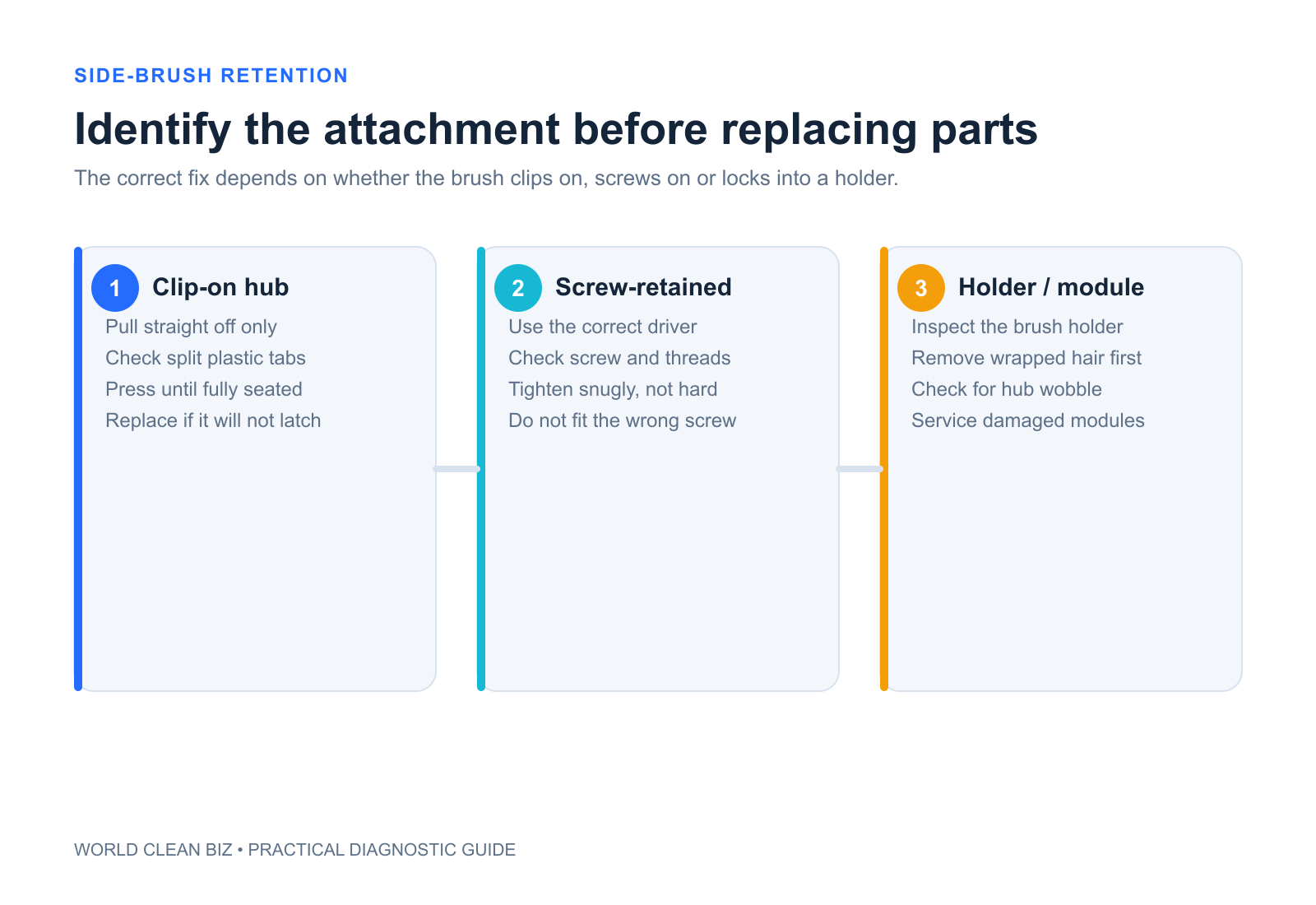
Side brushes use different retention systems. Some click onto a spring clip, some use a center screw, and others are model-specific modules. Do not force a press-fit brush onto a screw-retained hub or assume a similar-looking replacement is compatible.
Side Brush Detachment at a Glance
| What you observe | Leading area to check | First safe action |
|---|---|---|
| Brush came off beside a rug or cable | Environmental snag | Clear the item and inspect the brush for distortion |
| New brush will not click into place | Wrong part, debris or damaged retaining clip | Compare exact part number and clean the accessible connector |
| Center screw is missing or loose | Fastener and screw-retained hub | Stop use and obtain the exact approved fastener |
| Screw turns but never tightens | Stripped screw or hub threads | Do not overtighten; use service or approved assembly |
| Old brush falls off but a correct new one stays | Worn brush socket | Replace the consumable brush |
| Correct new brush also falls off | Clip, hub, shaft or module damage | Stop repeated testing and escalate |
| Brush remains attached but does not rotate | Jam, motor or drive fault | Use the brush-not-spinning diagnostic |
1. Record Where and How It Fell Off
Photograph the brush, underside of the robot and exact location before reinstalling it. Look for rug fringe, a curled mat, cable, floor vent, threshold or furniture leg that could catch the bristles.
eufy's official guidance begins by asking whether a rug or another object pulled the brush off. This matters because a correctly retained brush may still detach or deform if it is repeatedly trapped.
Remove the environmental snag before testing. A new brush will not solve a route that continually hooks the same obstacle. If the whole robot becomes trapped, use the robot vacuum getting-stuck guide.
2. Identify the Retention Method
Power off the robot and follow the exact manual before turning it over. Find whether the brush is:
- pressed onto a connector until a clip engages;
- secured by a center screw;
- attached to a removable holder or motor module;
- assigned to a specific left or right side.
Do not copy installation steps between these designs. eufy's click-fit guidance says the supported brush should be pressed down until a click is heard, while its L70 Hybrid procedure describes a screw-retained brush. Both are official, but they apply to different products.
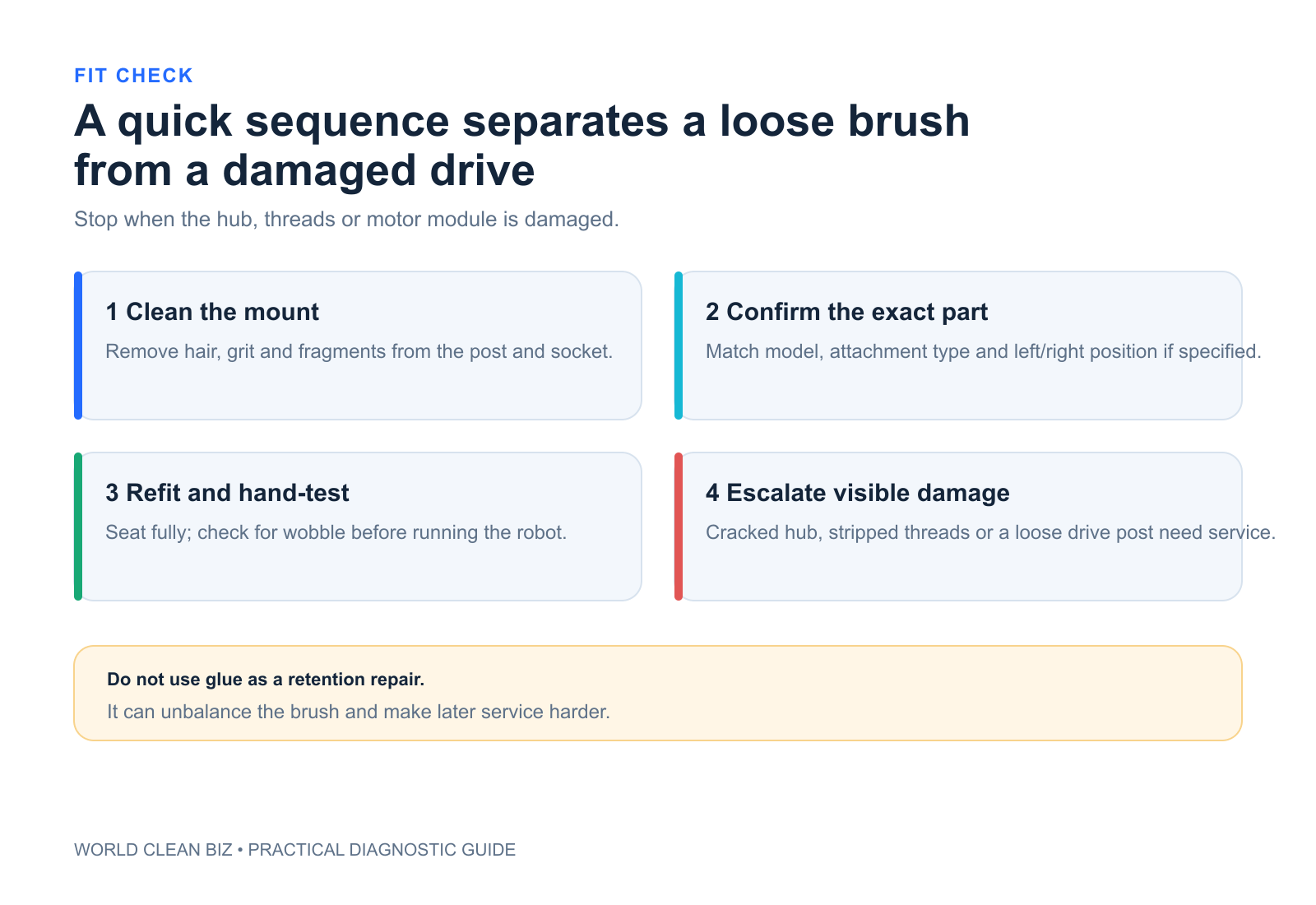
3. Inspect the Brush and Connector
Remove hair and debris from the accessible connector and the underside of the brush. Check for:
- a split or enlarged center socket;
- bent or heat-deformed bristles;
- a missing clip, washer or screw;
- a cracked hub or distorted connector;
- packed hair that prevents full seating;
- visible difference between the replacement and original part.
Do not lubricate the connector unless the manufacturer explicitly instructs it. Oil can attract abrasive dust, affect retention or migrate toward a motor.
4. Install the Brush Correctly
For a press-fit design, align the correct brush and press only as the manual shows. A positive click or retention force may be expected on some eufy models. For a screw-retained design, use the exact screw and tool and tighten only to the stated method.
Do not substitute a random screw. Length, head shape, thread and clearance matter. A screw that is too long can damage the hub or internal module; one that is too short may release during cleaning.
After installation, confirm that the brush sits flat and turns only as the manufacturer permits. Do not run the robot upside down.
5. Compare a Correct New Brush
Side brushes are consumable parts. Their sockets, bristles and retention features can wear even when the drive motor is healthy. eufy recommends trying the supplied spare brush to see whether the replacement also falls off.
Use only a brush listed for the exact robot model. Similar diameter and color do not establish hub fit, rotational direction or safe ground clearance.
- New correct brush stays attached: the old brush was likely worn or damaged.
- Both brushes fall off: inspect the robot-side clip, screw, hub or shaft.
- Neither brush seats fully: verify part identity and connector damage.
- Brush seats but reports an error: investigate rotation and the side-brush drive.
6. Separate Detachment from a Rotation Fault
A brush can be securely attached but jammed by hair, or it can fall off even though the motor turns normally. These are different failures.
If the brush remains installed but does not spin, follow the robot vacuum brush-not-spinning guide. If the robot stops with a named side-brush error, preserve the exact code and use the model-specific procedure.
Do not run long missions without the side brush unless the manufacturer specifically uses that test. Missing rotating parts can change edge cleaning, expose the connector or invalidate the diagnostic.
7. When to Stop and Use Service
Use authorized service when the robot-side hub is cracked, the drive shaft is loose, a screw is stripped, a retaining clip is missing or distorted, or a correct new brush repeatedly detaches on clear hard floor.
Stop if the brush or hub contacts wiring, the module becomes hot, the robot makes grinding noises or a repair requires opening the motor or control enclosure. Provide the model, serial number, brush part number, attachment type, photos and a short video of normal installation and detachment.
FAQ
Why does my robot vacuum side brush keep popping off?
It may be snagging on a rug or cable, not fully seated, worn, fitted with the wrong replacement, missing its screw or no longer retained by the robot-side clip or hub.
Should a side brush click into place?
Some press-fit designs do, but screw-retained designs do not use the same method. Follow the exact model instructions.
Can I use any side brush that fits?
No. Verify the exact model and approved part. Hub shape, retention, rotation direction and clearance can differ.
Why does a new side brush also fall off?
If the part is correct and installed properly, the robot-side clip, screw threads, hub or drive shaft may be damaged.
Can a rug pull off a robot vacuum side brush?
Yes. Rug fringe, curled edges and cables can catch bristles. Remove the snag and inspect the brush before another mission.
Final Answer
When a robot vacuum side brush keeps falling off, inspect the location for a snag, identify whether the brush is click-fit or screw-retained, clean the connector and verify the exact part. Compare a correct new brush without forcing or substituting hardware.
If a correct brush still detaches, or the hub, clip, screw or shaft is damaged, stop repeated testing and use the approved replacement assembly or authorized service.