- First confirm that the exact robot uses motor-driven rotary mop pads; fixed, dragged, vibrating and lifting pads do not all rotate.
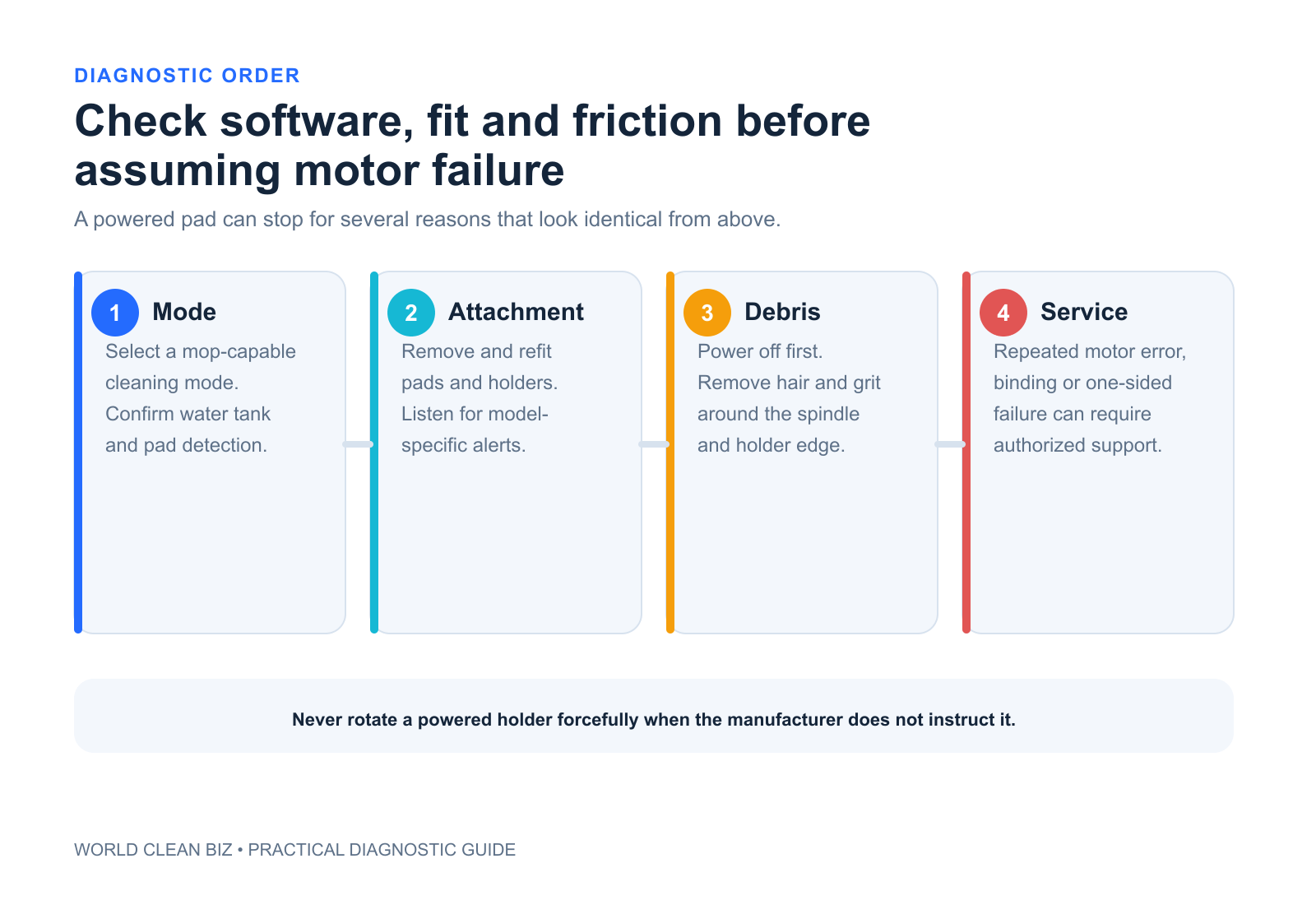
- Check the selected cleaning mode, pad and holder installation, carpet-lift state and visible debris before treating the symptom as a motor failure.
- A named holder-motor error, repeated stall, unequal pad movement or damaged drive interface requires model-specific support or authorized service.
In this article 11 sections
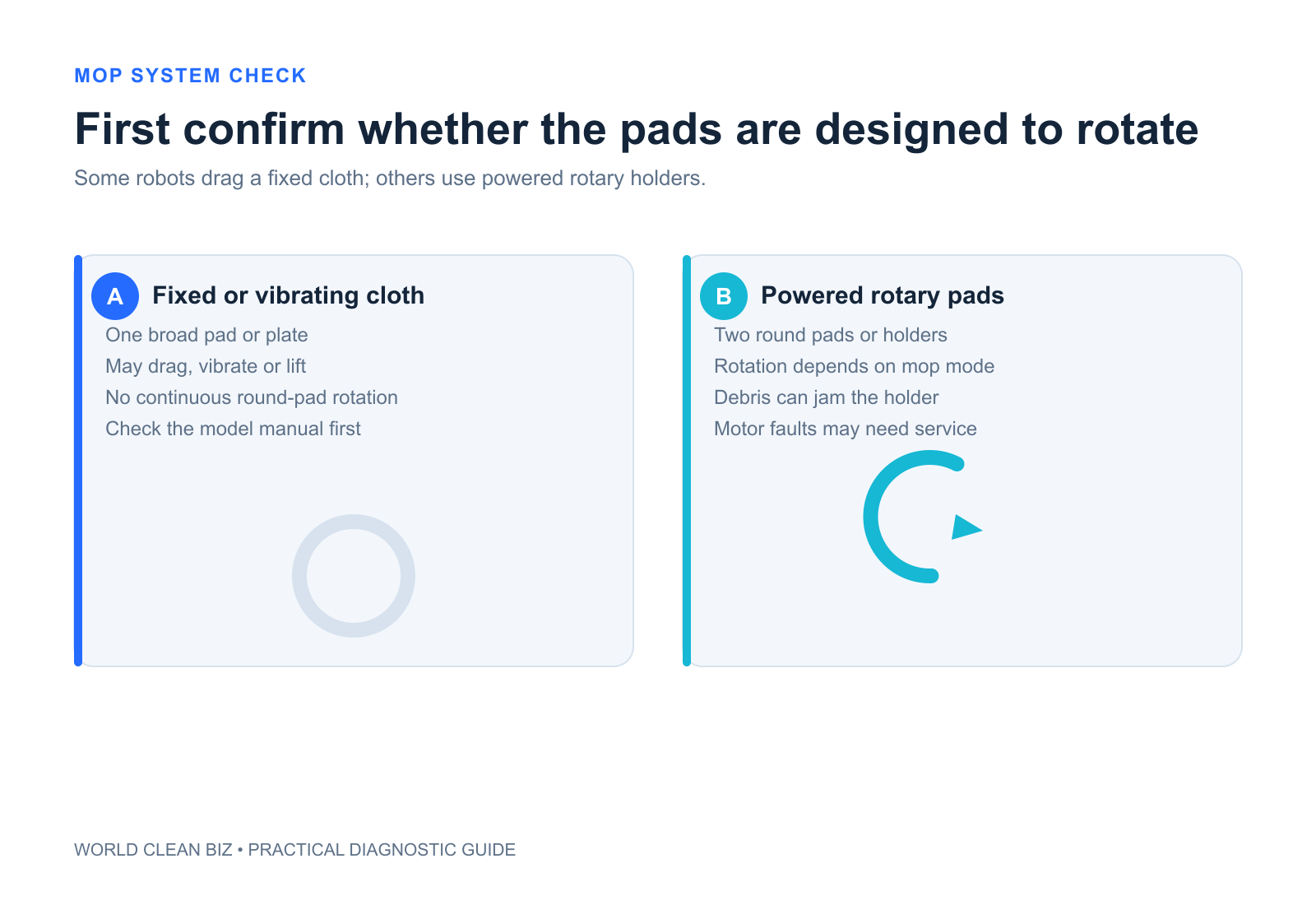
If your robot vacuum mop pads are not spinning, first confirm that the exact model uses motor-driven rotary pads. Some robots drag a fixed cloth, vibrate a plate, roll a mop or lift and deploy a pad instead. On a rotary model, check the selected mode, pad-holder attachment, carpet or lift state, visible debris and the exact App error before assuming the motor has failed.
Do not force the mop holders by hand unless the manual permits it. A stalled holder can involve a jam, damaged coupling, lift mechanism, drive motor or control fault.
Mop-Pad Problems at a Glance
| What you observe | Leading area to check | First safe action |
|---|---|---|
| Pads never rotated, even when new | Mop architecture or selected mode | Confirm the exact product design |
| Both pads stay raised | Carpet detection, vacuum-only mode or dock sequence | Move to approved hard floor and check mode |
| One pad spins and the other does not | Holder fit, debris, coupling or one drive motor | Power off and compare both sides |
| Pads turn briefly, then stop | Obstruction, overload, lift state or error | Preserve the code and inspect accessible holders |
| Holder has fallen off | Incorrect installation, worn magnet or connector | Reinstall only as the manual shows |
| Pads rotate but stay dry | Water delivery problem | Use the not-dispensing-water guide |
| Grinding, heat or repeated motor error | Drive or lift assembly fault | Stop testing and use service |
1. Identify the Mopping Architecture
The phrase “not spinning” only applies to rotary-pad systems. Check the product page and manual for the actual mechanism:
- dual or single motor-driven rotary pads;
- a fixed cloth dragged behind the robot;
- a vibrating or sonic mop plate;
- a roller mop;
- a pad arm that deploys, retracts or lifts.
iRobot's Combo products, for example, include both fixed-pad designs and products with dual spinning pads. A moving pad arm is not the same as a rotating holder. Diagnose the mechanism that actually exists.
2. Confirm the Cleaning Mode
Check whether the job is Vacuum Only, Mop Only, Vacuum and Mop, Mop after Vacuuming or a carpet-avoidance mode. Some stations automatically remove, install, wash or lift mop assemblies during different stages.
Start a short supervised mopping task on approved hard floor. Keep the robot away from carpet while observing. If the pads lower and rotate on hard floor but lift on carpet, that may be normal behavior rather than a fault.
Do not disable carpet protection unless the exact manual permits it for the floor and pad condition.
3. Check Pad and Holder Installation
Power off the robot and remove the mop assembly only as instructed. Confirm:
- each pad is attached flat to its holder;
- each holder is seated in the correct position;
- magnets, tabs, shafts or keyed shapes are clean and undamaged;
- the pad is not folded into the rotating interface;
- left and right components have not been swapped when they are side-specific.
eufy's X10 Pro Omni guidance distinguishes “mop has fallen off,” “holder is stuck” and “holder motor error.” Those are three different failure stages and should not be collapsed into one reset.
4. Remove Visible Debris
Hair, thread, grit or a small object can lodge between the holder and robot underside. Inspect the exposed interface without inserting tools into the drive module.
Dreame manuals direct owners to remove the mop pad holder and check for foreign objects when the holder is raised abnormally. Clean only the accessible surfaces and reinstall the dry, undamaged assembly.
If debris has entered a sealed gear or motor housing, stop. Do not wash the drive interface or apply lubricant unless explicitly specified.
5. Separate Rotation from Water Delivery
A pad can rotate while remaining dry, or receive water while the drive is stalled. Observe both functions separately.
- Pads spin but stay dry: inspect the water system using the not-dispensing-water guide.
- Pads are wet but do not spin: focus on holder seating, obstruction, lift state and drive errors.
- Only one pad is wet or moving: compare the two holders and preserve side-specific evidence.
- No mopping function appears: confirm the installed tank or module and App mode.
This separation prevents unnecessary pump work when the failure is mechanical, and unnecessary motor replacement when the tank is empty.
6. Read the Exact Error
A named “holder stuck” error points first to obstruction and seating. A repeated “holder motor error” after accessible cleaning points more strongly to the rotary or lifting motor and should go to support.
iRobot documents an actuator-stall error for specific Combo models whose pad arm cannot move. That guidance applies to pad deployment, not automatically to dual rotary pad motors. Follow the exact model and error number.
Preserve the App screen, voice message, affected side, floor type, mode and a short video. Do not factory-reset before capturing this evidence.
7. Restart Once, Then Stop Repeating
After reinstalling clean, dry holders, perform one official restart and a short hard-floor test. If both pads rotate normally, monitor one complete task.
Use service when one side remains stationary, the holder repeatedly falls off, the interface is cracked, the robot reports a recurring motor error, or the repair requires opening the drive or lift assembly. Stop immediately for grinding, unusual heat, burnt odor or liquid inside an electrical area.
FAQ
Are all robot vacuum mop pads supposed to spin?
No. Some products use fixed pads, vibrating plates, rollers or deployable arms. Confirm the exact mopping architecture first.
Why do the mop pads stop on carpet?
Supported robots may lift or stop wet pads to protect carpet. Test on approved hard floor and check carpet settings.
Why is only one robot vacuum mop pad spinning?
The stationary side may be installed incorrectly, obstructed, damaged or affected by a holder or motor fault. Compare both sides while powered off.
Can no water make rotary pads stop?
Water delivery and rotation are separate systems. A dry pad can still rotate, so diagnose the observed functions separately.
Should I force a stuck mop holder to turn?
No, unless the exact manual explicitly permits a specific movement. Forcing a geared or motor-driven holder can damage the drive.
Final Answer
When robot vacuum mop pads do not spin, first verify that the model actually uses rotary pads and that a mopping mode is active. On approved hard floor, check whether the pads are lifted, installed incorrectly, obstructed or affected by a named holder error. Separate rotation from water delivery.
After one clean reinstallation and official restart, persistent one-sided failure, grinding or a recurring motor error requires model-specific support or authorized service.